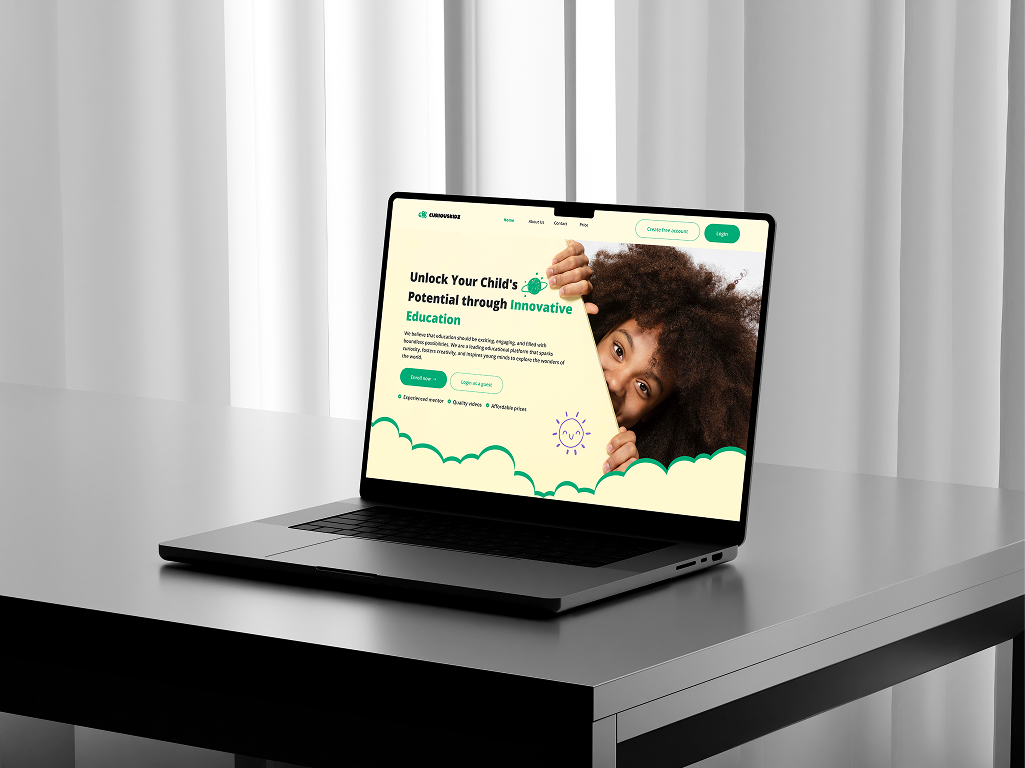
This case study outlines the vision behind Curious Kidz and the challenges it aims to solve.
It provides a clear understanding of the project's background, highlighting the limitations of
STEAM education in Nigeria and how this platform bridges the gap through interactive learning.
Additionally, it establishes my role in designing a user-friendly, engaging, and accessible
digital experience tailored to children, parents, and schools guiding the reader through the
UI/UX process from research to final implementation.
Overview
Curious Kidz is an innovative educational
platform designed to bridge conventional learning and the STEAM program. It engages young
minds through interactive content like videos, games, and virtual labs, making education
more exciting and effective.
The platform aims to spark curiosity and drive children toward high-paying,
innovation-driven disciplines like aerospace, robotics, and computer programming.
What We'll Cover
User Research & Personas:
Understanding the target audience: children, parents, and schools.
Design Approach:
Creating a playful yet balanced interface for different user groups.
Key Features & Functionality:
Showcasing interactive content, gamification, and dashboards.
Challenges & Solutions:
Addressing accessibility, usability, and engagement strategies.
Final Outcome & Impact:
Evaluating the effectiveness of the design in enhancing learning.
Project Background
In Nigeria, the growth of STEAM education is limited by cost and environmental factors.
Many schools lack the resources to provide hands-on learning experiences, making it
difficult for students to explore advanced fields. Curious Kidz addresses this gap by
integrating entertainment with research-based peer learning, offering a digital space
where children can engage with educational content in an interactive and fun way. The
platform also provides insights for parents and schools to track student progress
and engagement.
02 — Problem
The Problem
The primary issue facing Curious Kidz is the difficulty in engaging young learners with
traditional educational methods, particularly in the context of a developing country like
Nigeria. Despite the growing importance of STEAM education, the platform must overcome
several obstacles:
Lack of interactive and engaging learning
experiences: Children often find conventional education methods boring and
disengaging, which affects their learning retention and interest in subjects.
Limited resources for hands-on learning:
Due to environmental and financial constraints, children in Nigeria are not exposed to
interactive and project-based learning that fosters interest in advanced STEM fields like
robotics, aerospace, and programming.
Accessibility barriers: Many families
lack reliable internet access or modern devices, meaning the platform must be lightweight
and work well across a range of hardware.
Parent and educator visibility: Schools
and parents struggle to monitor student progress without the right tools, making it hard
to identify and support struggling students.
🚨
A Problem
Children in Nigeria struggle to stay engaged with traditional learning methods,
leading to a lack of interest in advanced subjects like STEAM.
🌍
Problem Context
Due to limited resources and infrastructure, Nigerian students lack access to
interactive learning that can inspire interest in fields like robotics, aerospace,
and programming.
03 — Objectives
Objectives
To design a user-friendly and engaging platform for Curious Kidz, we established clear
objectives that align with the platform's mission:
Enhance User Engagement: Make learning
interactive and enjoyable through videos, games, and virtual labs.
Improve Navigation & Accessibility: Ensure
children, parents, and schools can easily find and use key features.
Implement Gamification: Increase motivation
with badges, leaderboards, and progress tracking.
Optimise User Dashboards: Provide insightful
analytics for parents and schools to monitor student progress.
Ensure Scalability: Design a system that
can expand to accommodate more users and content over time.
Success Metrics
To measure the effectiveness of our design, we set key success metrics:
User Engagement Rate: The time
children spend actively interacting with educational content.
Navigation Efficiency: The ease with
which users can find and access learning materials.
Gamification Impact: The number of
badges earned, leaderboard participation, and progress tracking interactions.
Dashboard Usage: How frequently
parents and schools check analytics and student progress reports.
User Engagement Rate
Measures the average time children spend interacting with videos,
games, and virtual labs.
Gamification Participation
Tracks the number of badges earned, leaderboard interactions, and
progress tracking usage.
Dashboard Utilisation
Monitors how often parents and schools access analytics and
student progress reports.
04 — Audience
Audience
Curious Kidz primarily targets three key user groups:
1.Children (Primary Users): The
main audience, aged 6–16, who will interact with the platform's educational
content.
2.Parents: Responsible for
monitoring their child's progress and engagement on the platform.
3.Schools: Teachers and
administrators who need analytics to track student performance and
engagement.
User Personas: These personas help
guide the design and functionality of Curious Kidz, ensuring the platform meets the
needs of all key stakeholders.
Persona 01 — The Child
👧
Amanda
The Curious Learner
"
I love learning new things, but I get bored easily.
"
Bio
Amanda is an energetic and curious child who loves learning about science and
technology but often finds school lessons too boring. She spends her free time
watching educational videos online and playing games.
Age: 10
Education: Primary School Student
Personality Traits
CuriousEnergeticPlayfulEasily Distracted
🎯 Goals / Needs
—Learn about science and technology in a fun way.
—Engage with interactive videos, games, and virtual labs.
😖 Pain Points
—Traditional lessons feel boring.
—Hard to find exciting and educational content.
🙈 Frustrations
—Too many distractions make it hard to focus.
—Some topics feel too complex without hands-on learning.
💪 Motivation
—Enjoys fun, game-like learning experiences.
—Loves discovering new ideas and solving challenges.
Persona 02 — The Parent
👨
Michael
The Concerned Parent
"
I want my child to have fun while learning, but I also need to track progress.
"
Bio
Michael is a busy working parent who wants to ensure his child is engaging
with educational content. He values tools that allow him to track his child's
progress and ensure they are learning effectively.
Age: 28
Education: University Graduate
Personality Traits
ResponsibleBusyOptimisticGoal-Oriented
🎯 Goals / Needs
—Easily track Amanda's learning progress.
—Find engaging, educational content for his child.
😖 Pain Points
—Hard to measure Amanda's actual learning beyond school.
—Too much screen time spent on non-educational content.
🙈 Frustrations
—Limited tools to monitor and encourage Amanda's learning.
—Balancing work and parenting responsibilities.
💪 Motivation
—Wants Amanda to develop strong academic and problem-solving skills.
—Feels reassured when Amanda is learning productively.
Persona 03 — The School Administrator
👩💼
Adewale
The School Administrator
"
We need better ways to track student engagement and learning outcomes.
"
Bio
Adewale works as a school administrator in a Nigerian middle school. She is
responsible for overseeing student learning and performance across
different classes.
Age: 32
Education: Degree in Education
Personality Traits
OrganisedAnalyticalSupportiveResults-Driven
🎯 Goals / Needs
—Monitor student engagement and performance effectively.
—Support teachers in guiding students toward STEAM careers.
😖 Pain Points
—Difficult to track individual student progress.
—Limited tools for analysing class-wide performance.
🙈 Frustrations
—Paper-based assessments are time-consuming.
—Teachers struggle to keep students engaged in STEM subjects.
💪 Motivation
—Wants to improve student learning through technology.
—Feels satisfied when students excel in academics and creativity.
05 — Research
Research
Research is a critical component of any UX/UI project. It provides the foundation
for understanding user needs, identifying pain points, and informing design decisions,
through clear research goals, appropriate methods, and actionable insights.
User Needs
We aimed to understand what children, parents, and schools require from an
interactive educational platform:
Children: Engaging content
with a fun and interactive learning experience.
Parents: Tools to track
their child's progress and engagement.
Schools: Analytics to
monitor student learning patterns and performance.
1
Interactive and Engaging Learning Content
Children need fun and interactive learning experiences, games, videos,
and virtual labs to stay engaged and motivated.
2
Easy Progress Monitoring for Parents and Schools
Parents and schools need simple, clear tools to track student progress,
engagement, and performance on the platform.
Gather Feedback
To ensure our platform effectively addresses user needs, we collected
feedback through:
User Interviews:
Conducted with children, parents, and teachers.
Surveys: Gathered
insights on learning preferences and challenges.
Competitor Analysis:
Examined similar platforms to identify best practices and gaps.
Research Methods
We used a mixed-method approach combining qualitative and quantitative
research:
User Surveys & Interviews:
To gain direct insights from stakeholders.
Usability Testing:
Observed how users interact with the platform prototype.
Data Analysis:
Assessed engagement patterns and feature effectiveness.
Key Pain Points Identified
👦
Disengagement with Traditional Learning
Children often struggle to stay focused with conventional learning
methods, making it harder for them to retain information.
👩
Lack of Progress Tracking for Parents
Parents have limited insight into their child's learning journey
and progress, making it difficult to provide support.
👩💻
Complex Navigation
Young users find it difficult to navigate platforms that aren't
intuitive or visually clear, leading to frustration and reduced
engagement.
🏫
Difficulty for Schools in Monitoring Engagement
Schools face challenges in tracking student engagement and performance
across different classes and age groups.
Detail Findings
Children respond better to gamified learning experiences.
Parents want simple, visual dashboards to track progress.
Schools need structured reports and class-wide analytics.
Navigation should be intuitive, with clear visual cues.
These findings guided our design decisions, ensuring Curious Kidz provides
an engaging, accessible, and effective learning experience for all users.
Empathy Mapping
Understanding Our Users Deeply
Empathy maps helped us step into the shoes of each user group — capturing
what they say, think, do, and feel when engaging with educational platforms.
For Children
👧
Says
"I love playing games while learning!"
"This video is fun, but I don't understand everything."
Thinks
"I want to explore more games and videos."
"I hope I can get better at this subject."
Does
Watches educational videos & plays interactive games.
Clicks through different content for engaging activities.
Feels
Excited when learning is fun & interactive.
Frustrated if content is too hard or boring.
Empathy map for children: capturing emotional and behavioural patterns
during the learning experience.
For Teachers / Parents
👩
Says
"I want to know how much time my child spends learning."
"I need a way to track their progress easily."
Thinks
"Is my child really learning or just playing?"
"How can I help them improve in certain subjects?"
Does
Checks the platform for progress reports &
video completion.
Discusses with the child what they've learned.
Feels
Concerned about their child's academic growth.
Reassured when there's visible progress & engagement.
Empathy map — Teachers/Parents: understanding monitoring behaviours
and emotional drivers.
Platform Preview
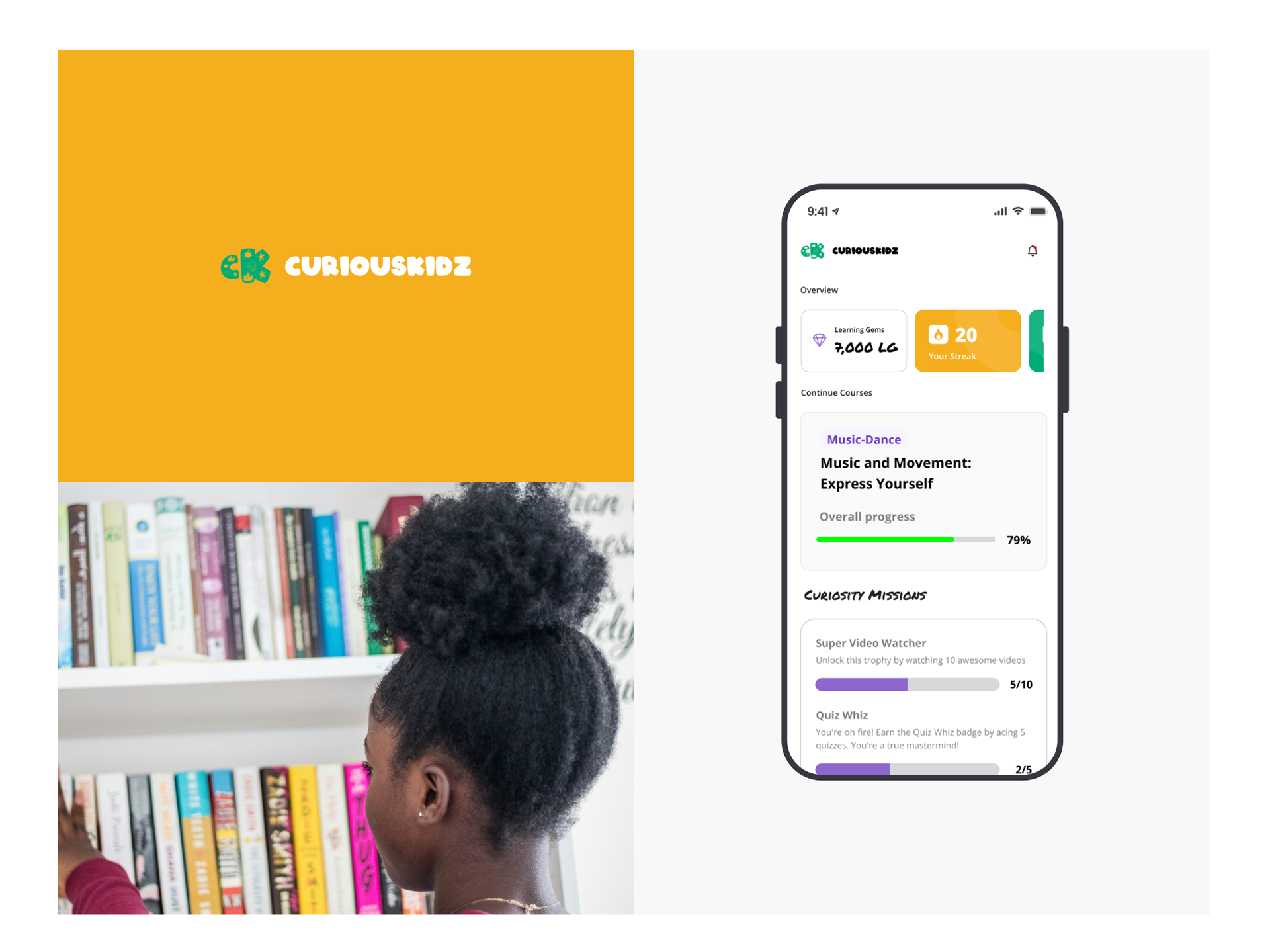
Mobile app overview, curiosity missions & progress tracking
06 — Design Process
Process
We followed a structured
Double Diamond design approach
across a 4-week sprint, with each phase clearly defined:
Empathize, Define, Ideate, Prototype, and Test.
1st week
2nd week
3rd week
4th week
Empathize
Define
Ideate
Prototype
Test
1
Empathize
Conducted interviews, surveys, and observations with children, parents,
and teachers to understand pain points.
2
Define
Synthesised findings into personas, journey maps, and a clear
problem statement.
3
Ideate
Ran brainstorming sessions to generate feature concepts and multiple
design directions.
4
Prototype
Built lo-fi wireframes through to a high-fidelity Figma prototype
ready for testing.
5
Test
Usability tested with real users, gathered feedback, and iterated
on final designs.
07 — My Processes
My Processes
To create an engaging and user-friendly experience for Curious Kidz, I followed
a structured design process that ensured every decision was driven by research,
user needs, and problem-solving. Below is an overview of my approach:
1
Research: I started by
identifying the key challenges faced by children, parents, and schools
in accessing and engaging with STEAM education. Through user research,
I gathered insights that shaped the foundation of my design decisions.
2
Discovery:
Key findings…
—Children need interactive and gamified content
to stay engaged.
—Parents require clear progress tracking tools.
—Schools need comprehensive dashboards to monitor
student learning.
3
User Flow: To ensure
seamless navigation and a logical user journey, I created detailed
user flows. I mapped out key user journeys for:
👧
Children
Exploring videos, playing interactive games, earning
badges, and tracking progress.
👨👩👧
Parents
Monitoring their child's learning activities and
setting preferences.
🏫
Schools
Accessing analytics on student engagement and
academic performance.
These flows ensured that each user could achieve their goals
efficiently without unnecessary friction.
4
Information Architecture: The platform was
structured into intuitive sections:
—Homepage:
Introduces the platform and highlights key features.
—Edutainment &
Academic Libraries: Centralised access to videos, games,
and learning materials.
—User
Dashboards: Personalised insights for children,
parents, and schools.
—Gamification
Page: Showcases badges, achievements, and leaderboard
rankings.
Information Architecture
Site Maps by User Type
Three distinct information architectures were designed one for each user
group ensuring that navigation and content are appropriately tailored to
each audience's needs.
Kids — Information Architecture
Kids
Dashboard
Overview
Courses
Support
Video Library
Category
Collection
All Courses
Chat
Messages
Group
Create Group
Leadership
Mastery Stage
Board
Victory Badge
User Profile
Subscription
Achievement
Settings
Kids IA — 5 primary sections, each with 3 sub-pages covering all
core learning and social features.
Teachers — Information Architecture
Teachers
Dashboard
Overview
Student Stat
Teachers Stat
Recommendation
Video Library
Courses
Collection
Categories
Add Video
Chat
Messages
Broadcast
Create Broadcast
Leadership
Result
Filter
Sets
Class
Student
Result
Search
Filter
Edit / Delete
Teachers IA — 5 primary sections with full content management,
student tracking, and broadcast tools.
School — Information Architecture
School
Dashboard
Overview
Student Stat
Courses Stat
Recommendation
Video Libraries
Add New
Create
Filter
Categories
Student / Teacher
Search
Upload
Edit / Delete
Chat
Messages
Broadcast
Create Broadcast
Send Broadcast
Gamification
Victory Badge
Create New
Filter
Edit / Delete
Leadership
Result
Filter
Sets
Class
Subscription
Manage
Details
School IA - 7 primary sections covering full administration,
content management, gamification oversight, and analytics.
08 — Design System
Design System
Typography - Barlow
This is Header 1
60px
This is Header 2
48px
This is Header 3
40px
The quick brown fox jumps over the lazy dog
20px
The quick brown fox jumps over the lazy dog
16PX
Colour Palette
Primary Green
#1A9C5B
Dark Green
#0F6E3F
Mid Green
#2DB870
Green Tint
#E8F7EF
Foreground
#F0EDE6
Background
#0D0D0D
UI Components
🌱 Explorer
🎯 Adventurer
🏆 Champion
🚀 Innovator
09 — Final Designs
Final Designs
The final high-fidelity designs cover three core experiences: the
Child Dashboard
(gamified learning overview), the
Parent Dashboard
(progress tracking), and the
School Dashboard
(class-wide analytics).
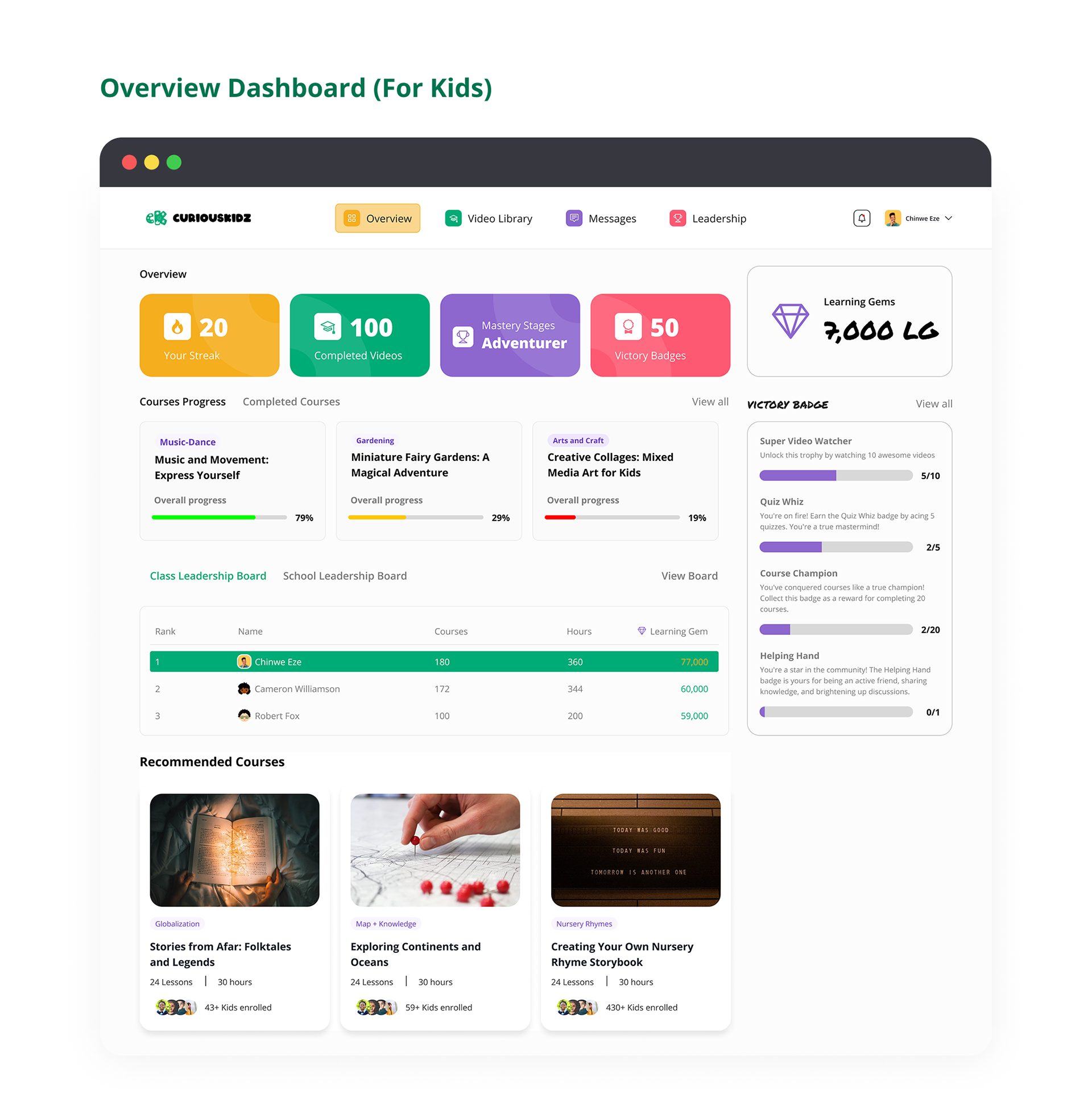
Feature 01 — Child Dashboard
The child dashboard surfaces learning progress, earned badges, current
courses, and the class leaderboard in a single scannable view. Key stats —
Hours to Go, Completed Videos, Mastery Stage, Victory Badges — are presented
as colourful cards children can understand at a glance.
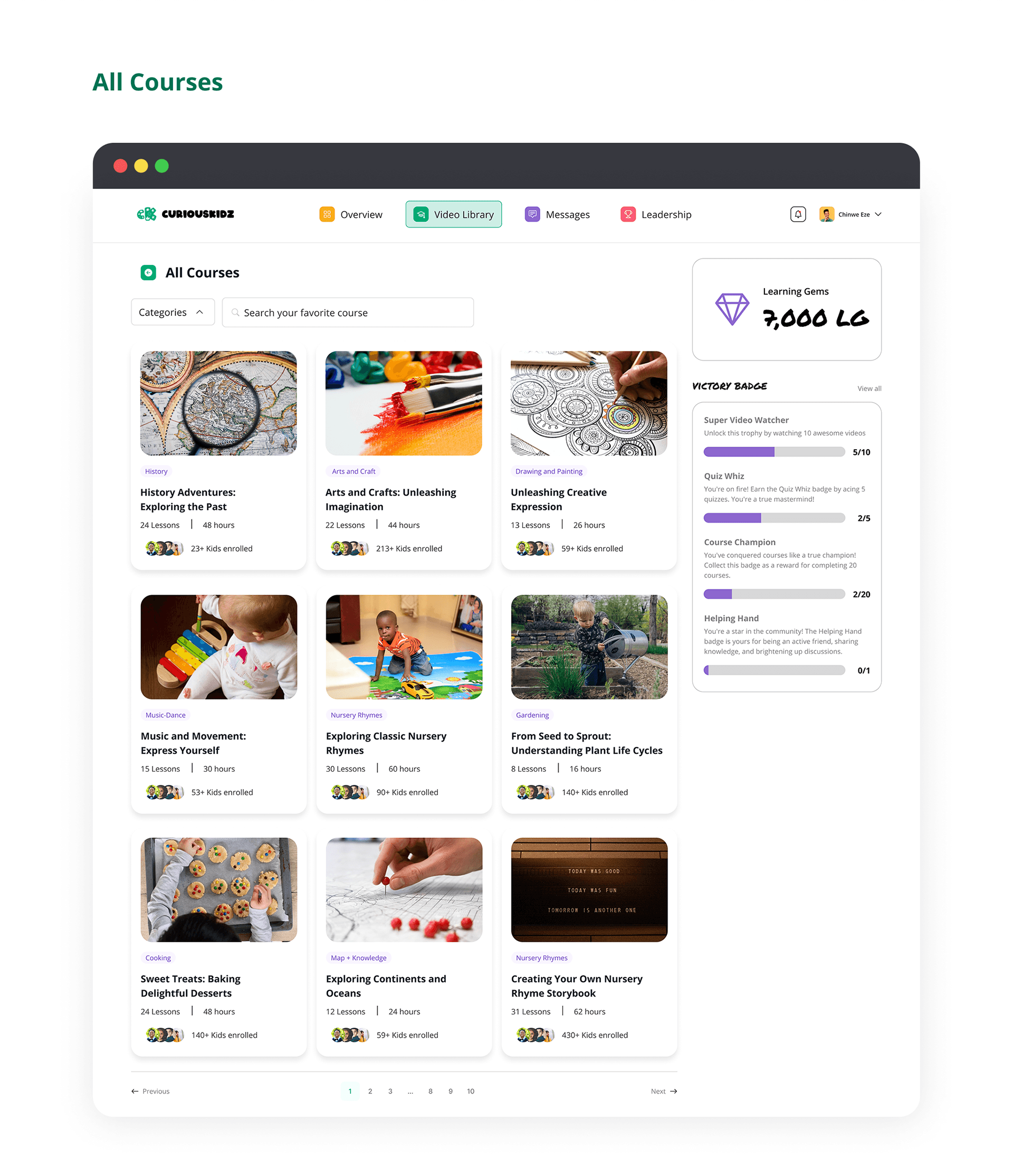
Feature 02 — Video Library
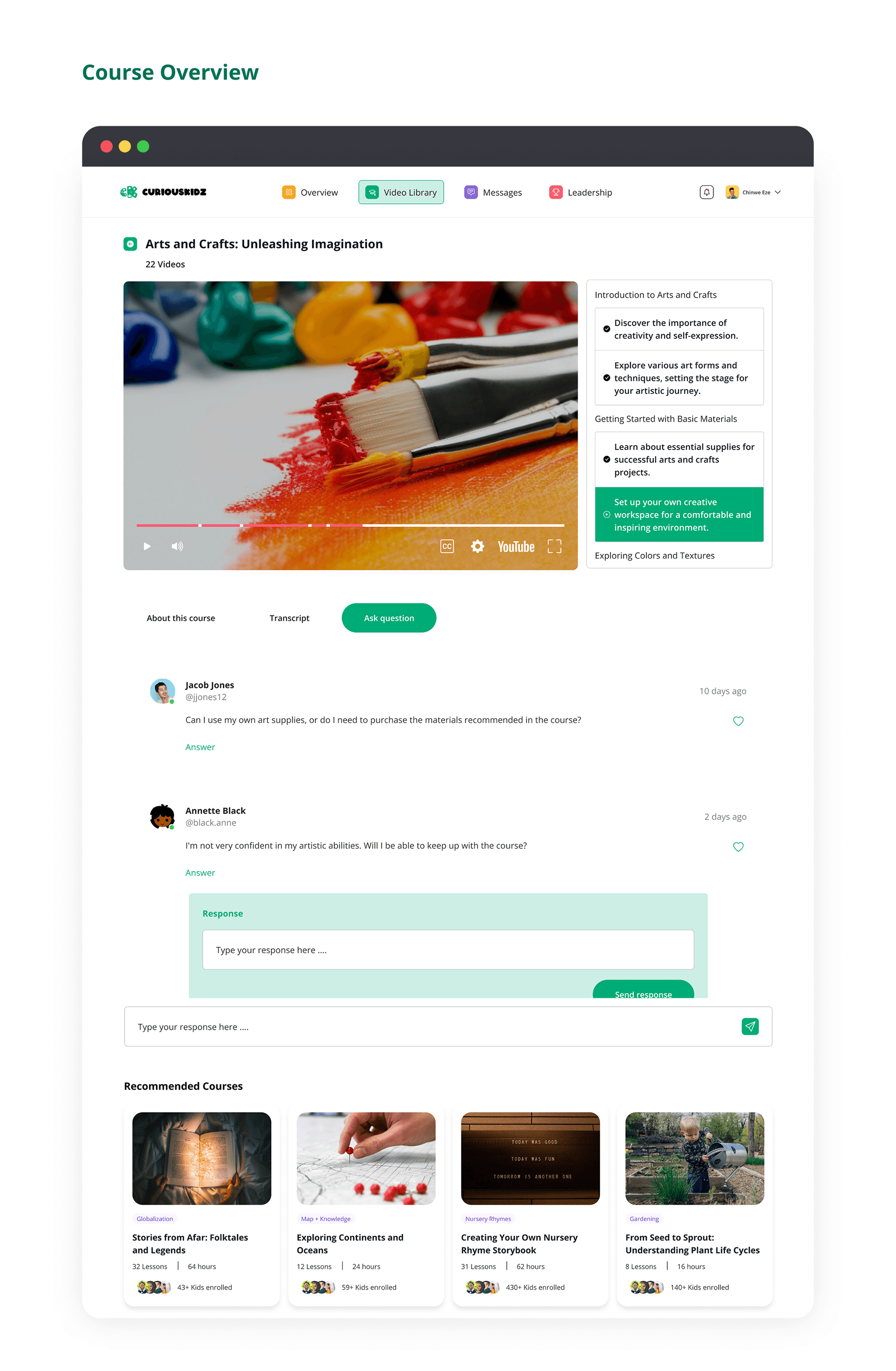
Curated video content organised by subject. Supports per-video
progress tracking so children can pick up where they left off.
Feature 03 — Virtual Labs
Hands-on interactive experiments simulating real lab environments —
covering robotics, physics, chemistry, and programming.
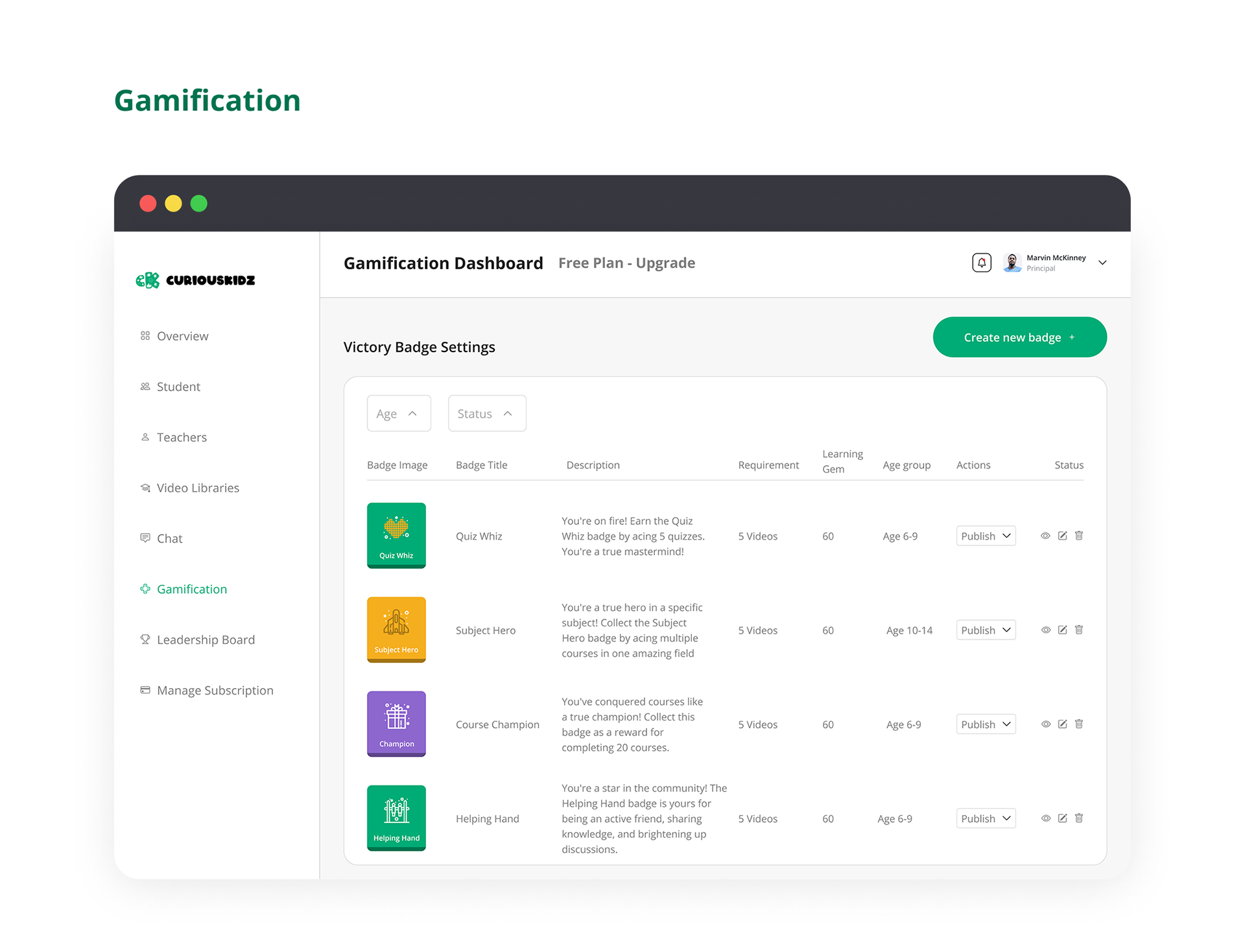
Feature 04 — Gamification System
Badges, Leaderboards & Level Progression
Children earn badges for completing modules, watching videos, and
hitting milestones. A class leaderboard drives friendly competition,
while a personal level system (Explorer → Adventurer → Champion →
Innovator) motivates long-term engagement.
🏅
Badges & Achievements
Earned by completing lessons and challenges
🏆
Class Leaderboard
Rank against classmates to stay motivated
💎
Learning Gems
Virtual currency earned through activity
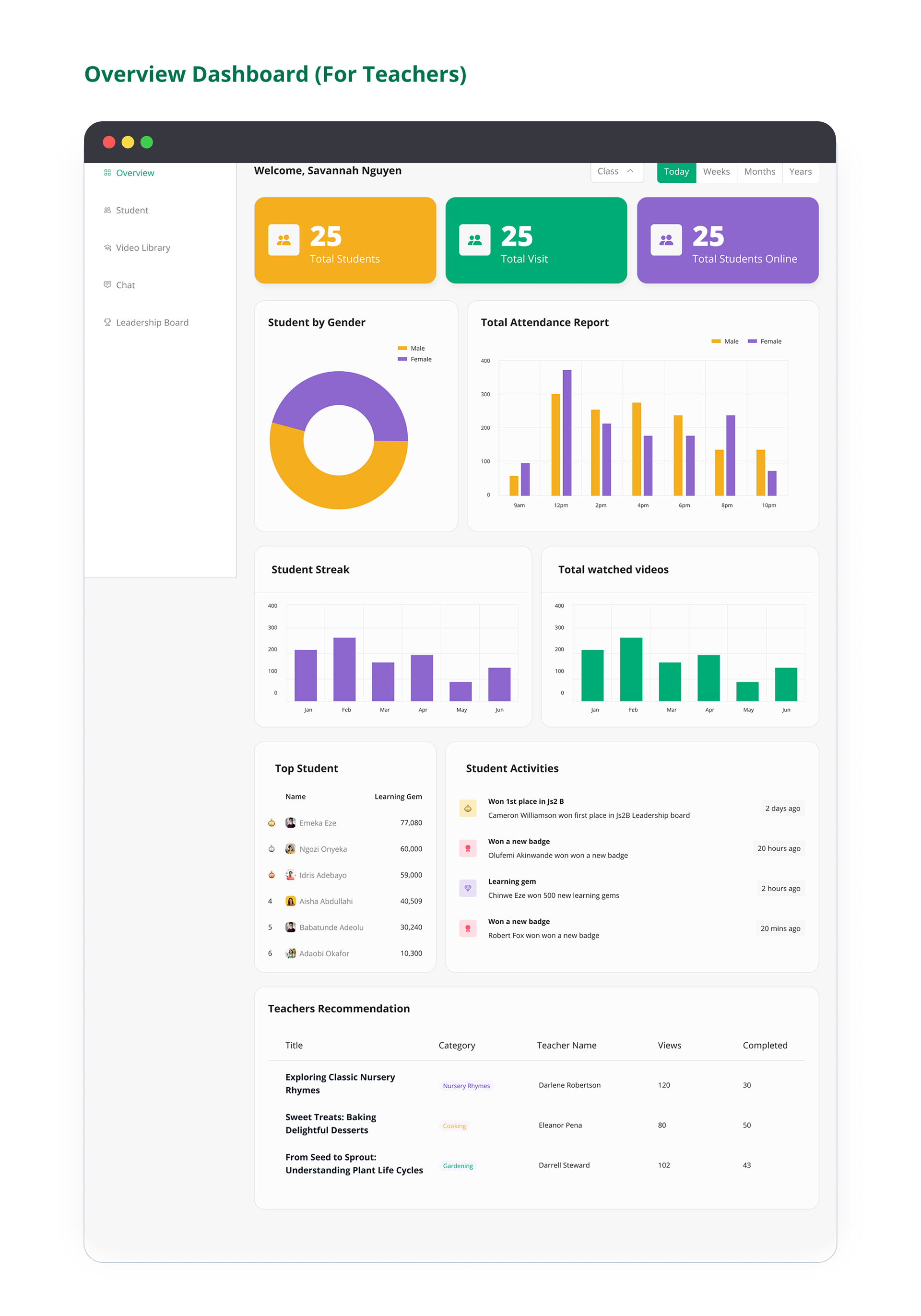
Feature 05 — Teachers Dashboard
Teachers can monitor student activity, assign modules, and view
class-wide analytics — helping them integrate the platform into
their teaching.
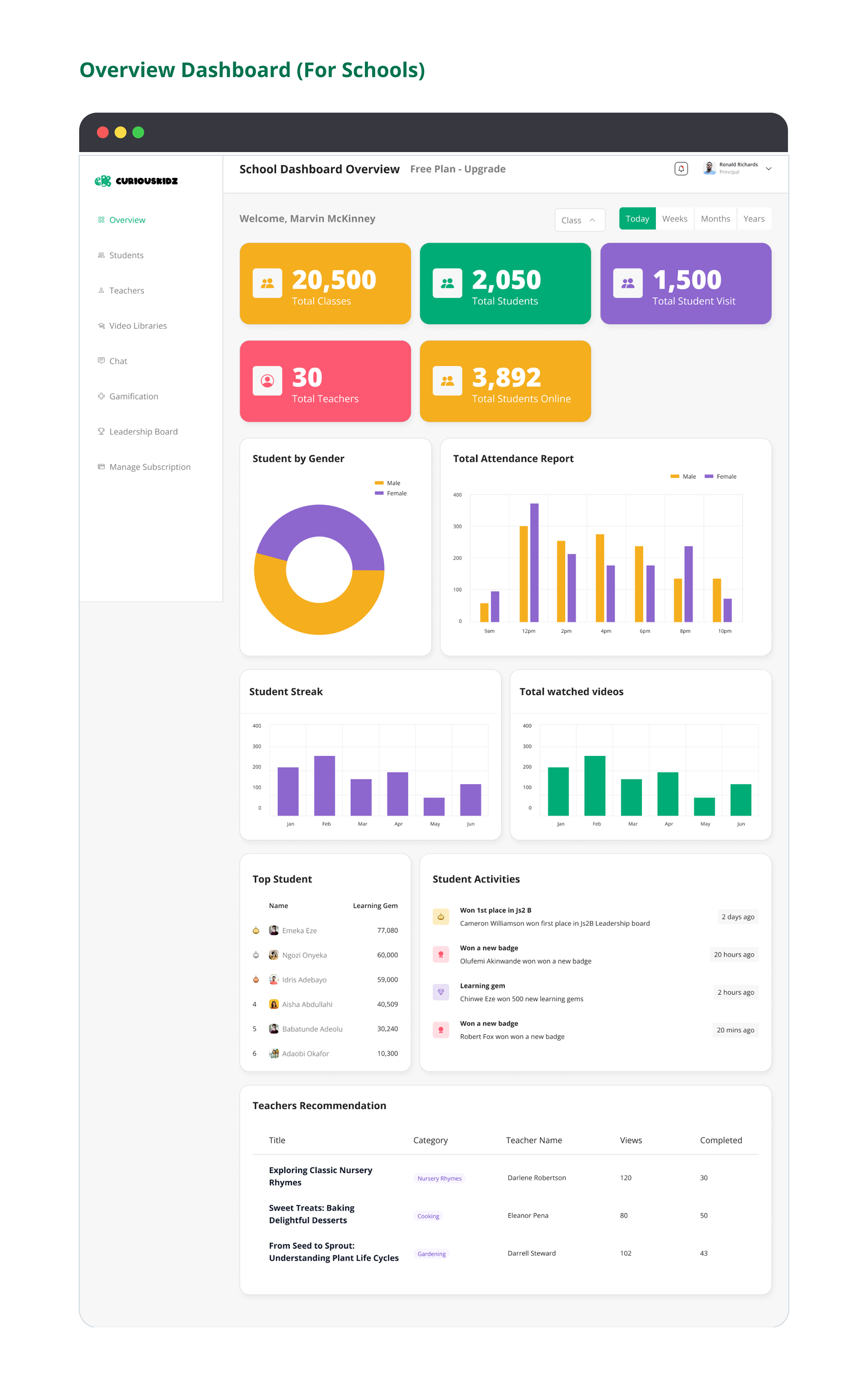
Feature 06 — School Dashboard
School administrators get a bird's-eye view of institution-wide
performance, class progress, and platform engagement metrics.
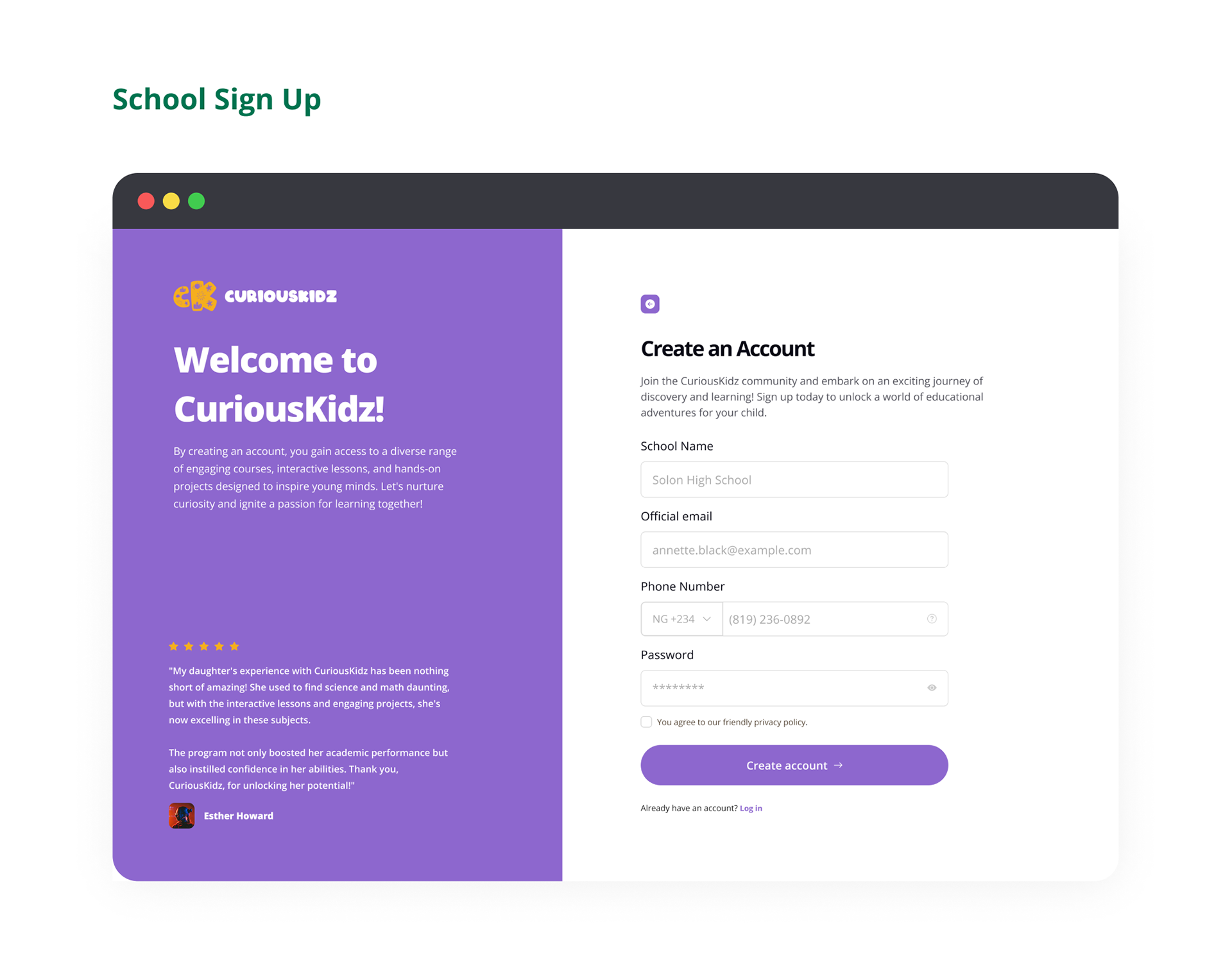
Feature 07 — Kid-Safe Design & Privacy
COPPA-Compliant, Age-Appropriate & Ad-Free
The platform is built to comply with COPPA and other child privacy
regulations. No third-party ads, no inappropriate content, and strict
data protection controls ensure a safe learning environment.
🔒
COPPA Compliant
Child-safe design & data practices
🚫
Ad-Free Experience
No third-party ads, only learning content
🛡️
Privacy-First
Strict data controls & parental consent flows
Feature 08 — Multilingual Support
Content in English, Spanish & French
(with room to grow)
CuriousKidz supports English, Spanish, and French from day one —
with a flexible architecture that makes adding new languages
straightforward.
Why this matters:
In multicultural markets, supporting multiple languages increases
accessibility and engagement, helping schools serve diverse student
populations more effectively.
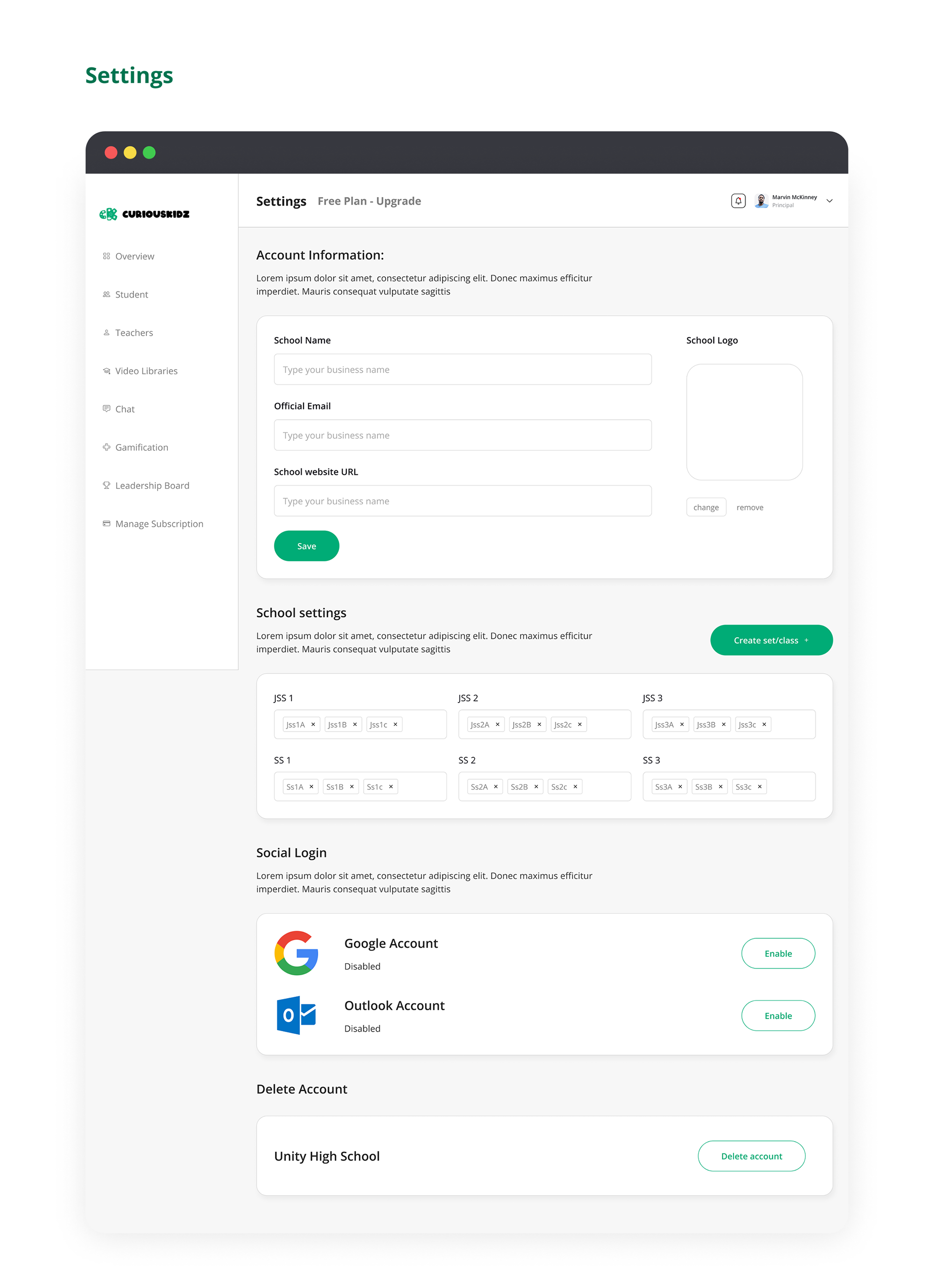
Feature 09 — School Admin Portal
Allows school administrators to manage classes, add students, and
integrate the curriculum into their school systems.
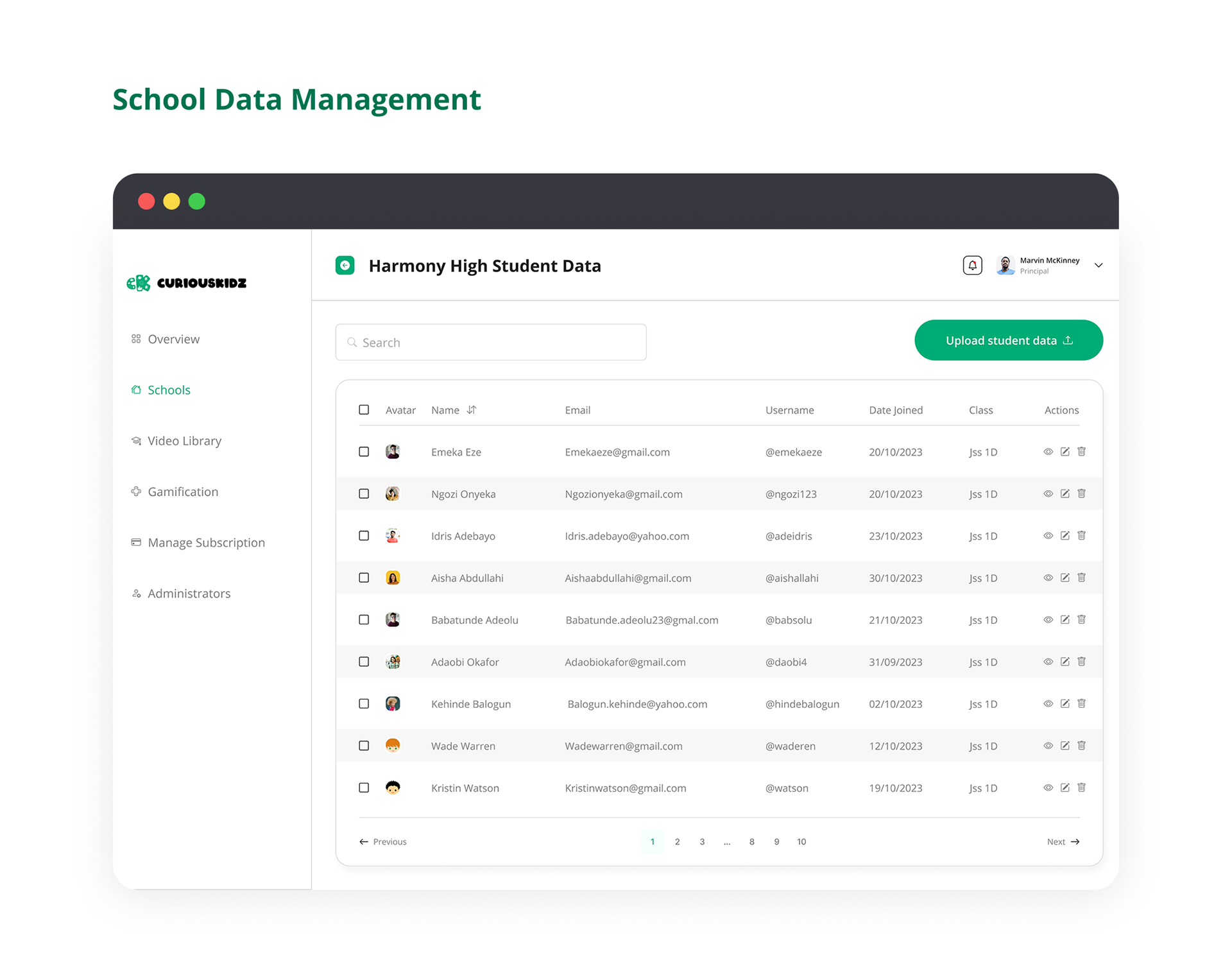
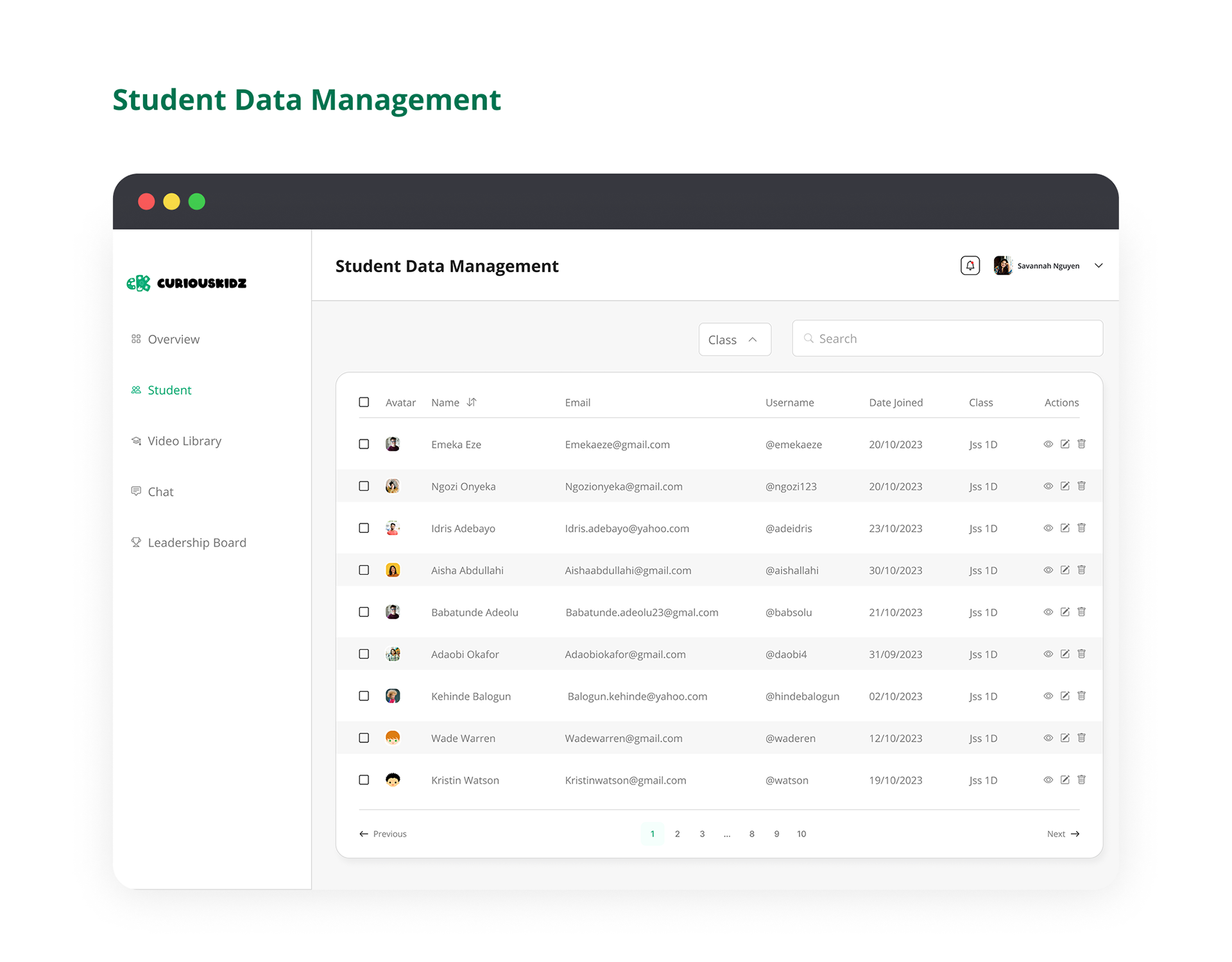
Feature 10 — Student Data Management
A centralised view for managing individual student records, tracking
progress milestones, and maintaining accurate academic data.
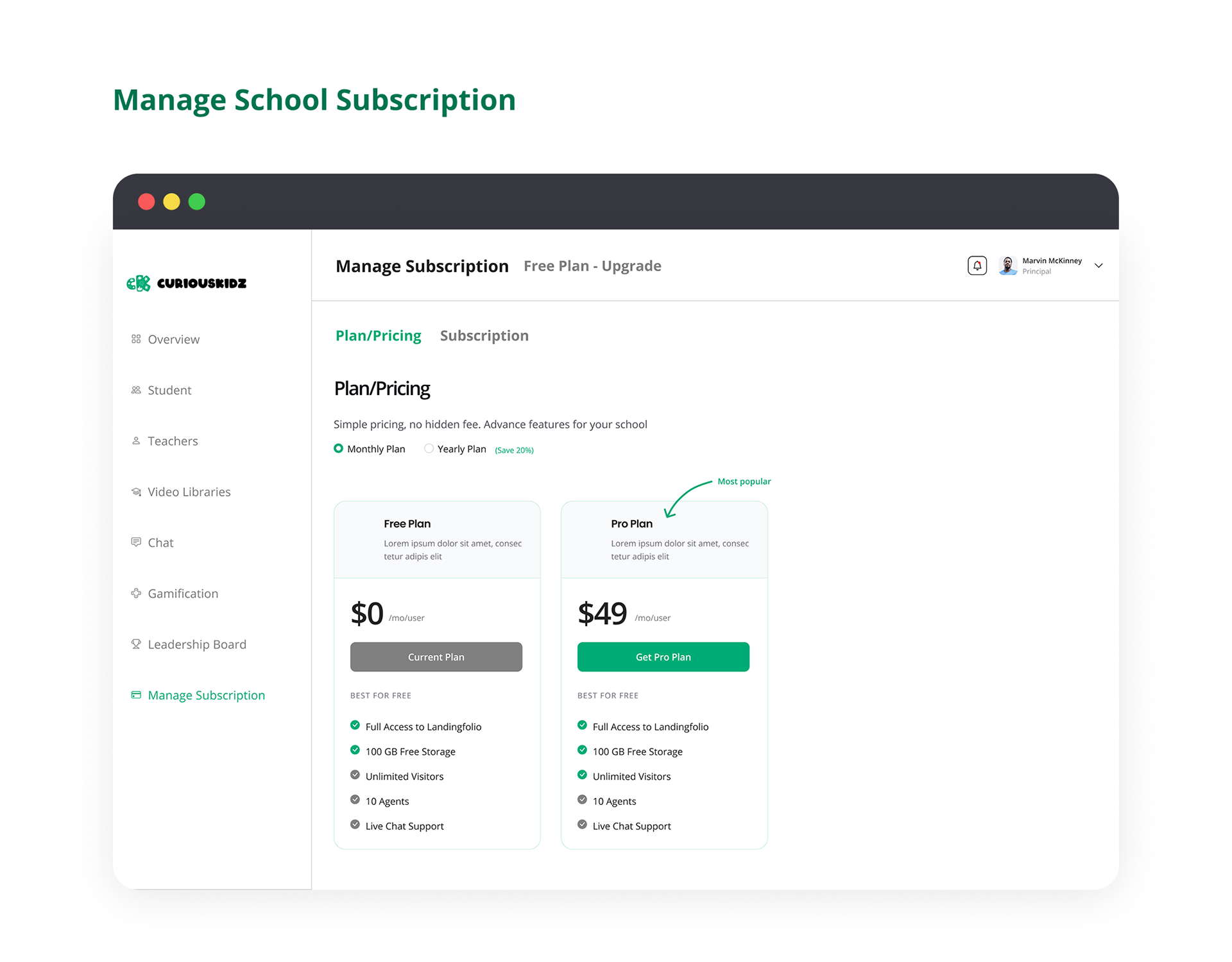
Feature 11 — Subscription Management
Schools can manage their subscription tier, upgrade plans, and
review billing history — all within a dedicated portal.
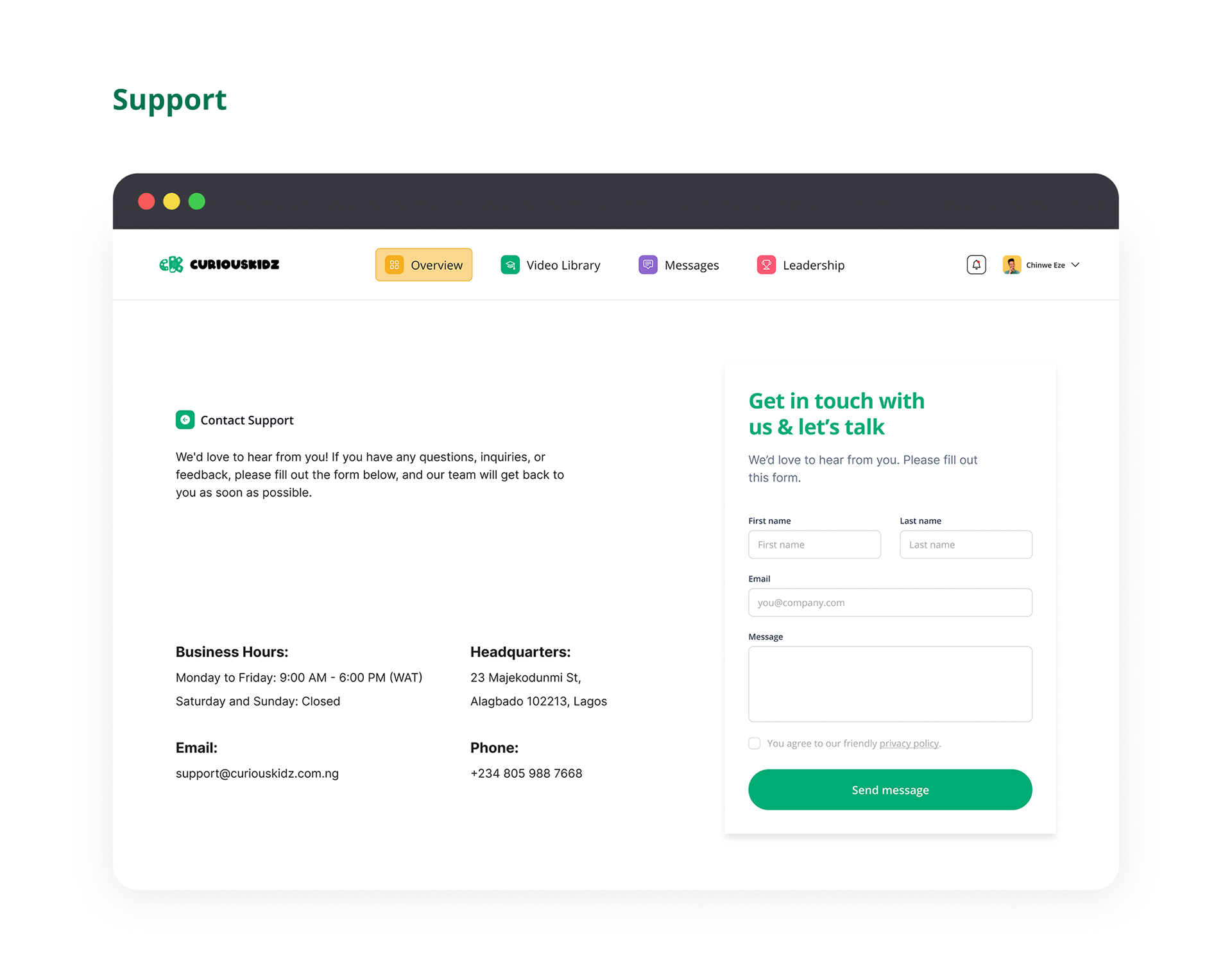
Feature 12 — Support Centre
A built-in help and support hub giving students, parents, and schools
access to FAQs, live chat, and guided troubleshooting resources.
10 — Conclusion
Reflections
Designing Curious Kidz highlighted the importance of
balancing fun with
functionality. While children need gamification and bright, engaging
interfaces to stay motivated, parents and teachers require clear, data-dense
dashboards to measure success.
Moving forward, the focus will be on expanding the virtual lab simulations
and continuing to optimise for low-bandwidth environments, ensuring the
platform remains accessible to all Nigerian students.